Highlights: keeping your best stories on your profile
diar.tv ·
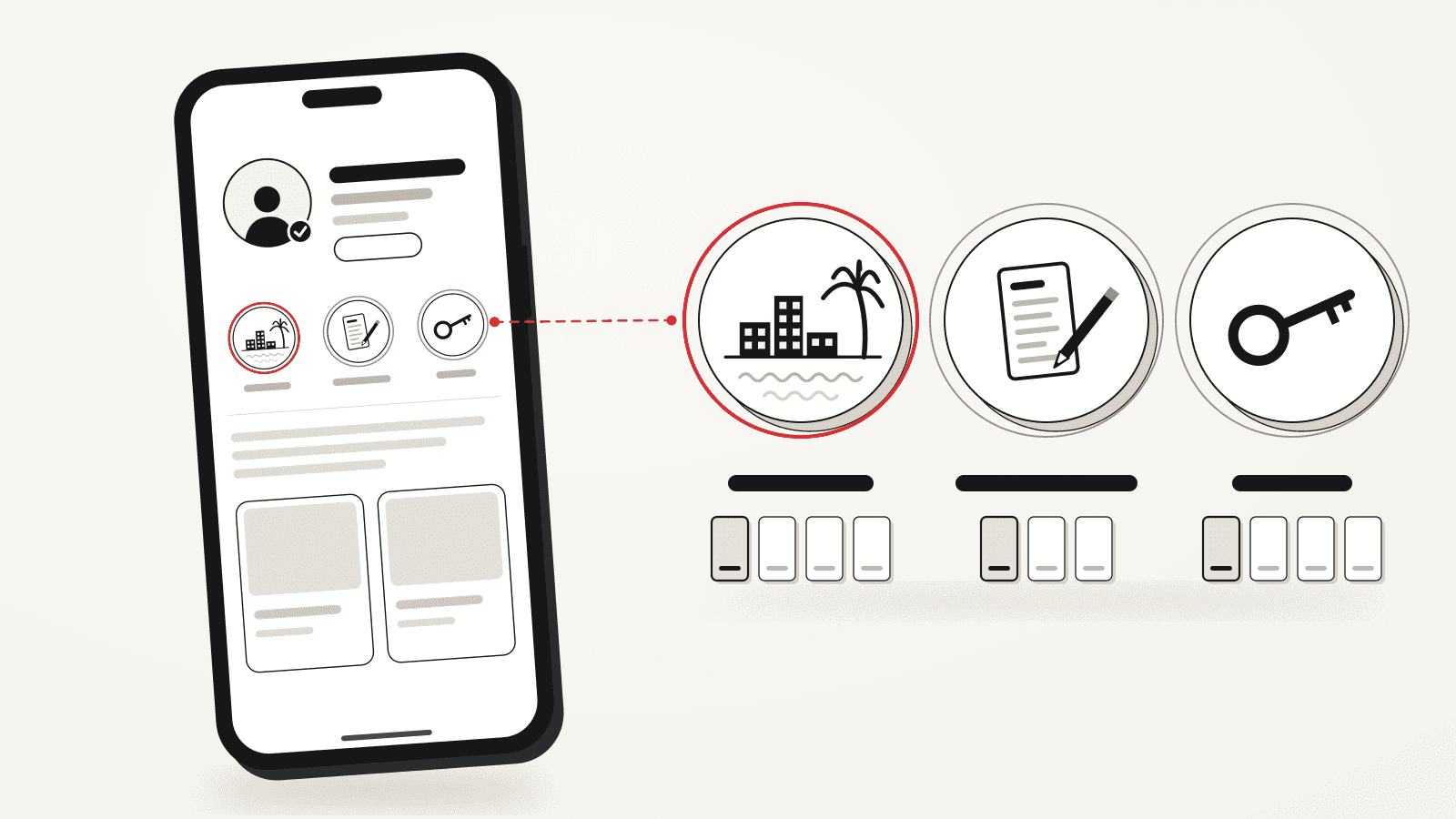
A story on diar.tv lasts a day. Some deserve longer: a walk through a district you know well, a short explainer buyers keep asking for, a look behind the scenes of a launch. Highlights keep them on your profile, in named rows anyone can open. This guide is for agents. It explains how to make a Highlight, the rules for its name, and how a Highlight can showcase a property.
Stories, the archive and Highlights
- A story appears for twenty-four hours, then leaves the stories row.
- Your archive keeps your stories for twelve months. It is not public: only you can open it in the app.
- A Highlight is a named row of stories from your archive, shown on your profile for as long as you keep it.
Making a Highlight
Highlights are made in the diar.tv app.
- Open your profile, and choose "New".
- Name it, for example "Jumeirah".
- Choose the stories in it. The first one becomes its cover.
- Choose "Create". It appears on your profile, under your name.
You can add a story to a Highlight later, rename it, or delete it. Deleting a Highlight does not delete its stories at once: they stay in your archive. Any story more than twelve months old is then deleted, as it would have been without the Highlight.
The rules for a name
- Short. Up to twenty-four characters.
- Nothing about money. A name that mentions a price, or what a property might earn, is refused. The same rule holds for every story caption.
- Within the limits. You can keep up to thirty Highlights, each holding up to a hundred stories.
Showcasing a property
A story should be social, educational and informative, not an advertisement for a particular property. A Highlight can go one step further and showcase a property, but only by linking to your own broadcast of it.
- Link a broadcast. When you make or edit a Highlight, you can link one of your own launches, LIVE Viewings or LIVE Rentals. You cannot link anyone else's.
- The permit travels with it. While the broadcast is public, your profile shows a link to it: "View the property". In Dubai, Abu Dhabi, Ras Al Khaimah and Sharjah, the permit number is shown beside the link, named with its authority: Trakheesi in Dubai, Madhmoun in Abu Dhabi, SRERD's written approval in Sharjah, and the advertisement permit from RAK RERA in Ras Al Khaimah (a different authority from Dubai's RERA). In Ajman the permit comes from the Department of Land and Real Estate Regulation and is optional on diar.tv: if you added it to the broadcast, it is shown beside the link as well.
- Never typed by you. The permit is the broadcast's own, and in Dubai, Abu Dhabi, Ras Al Khaimah and Sharjah diar.tv checks that it has the right form. The details stay on the broadcast's page, and the Highlight links to it.
- When the broadcast goes, so does the link. If it is cancelled or withdrawn, the property line disappears and the Highlight reads as an ordinary one.
Who sees them
Anyone who opens your profile, on the website or in the app. In the app, during a story's twenty-four hours, you can see how many times it has been seen, and which agents watched it. Buyers and visitors are counted, never named. In the same way, when you watch another agent's story, they can see that you did.
If your profile is private, your Highlights are not shown on it.
Ideas for Highlights
- Your areas. One Highlight for each district you know well.
- Explainers. Short answers to the questions buyers ask most, such as what a permit is or what happens at handover.
- Behind the scenes. How you prepare for a launch night.
- One per launch, linked to it, so a visitor can go from your stories to the property and its permit in one tap.
Before you post, ask anyone who can be recognised in a story for their agreement. Our guide to how agents build a following has more ideas.
Where diar.tv stands
LIVE launches, LIVE Viewings and LIVE Rentals on diar.tv are presented live, or as premieres, by government-approved, verified agents. Stories and Highlights are where those agents show who they are between broadcasts. No money moves through diar.tv. Each emirate's rules on advertising are set by its own regulator; our guide to advertising permits explains them, and it is not legal advice.
The short version
Stories last a day, and your archive keeps them for twelve months. In the diar.tv app, gather the best into a named Highlight, which stays on your profile. Keep names short, and leave money out of them. To showcase a property, link the Highlight to your own launch, LIVE Viewing or LIVE Rental: your profile then shows a link to it, with its permit in Dubai, Abu Dhabi, Ras Al Khaimah and Sharjah.
Where to go next
- The diar.tv app: diar.tv/download-app
- Find an agent's profile: diar.tv/agents
- How agents build a following: diar.tv/articles/how-agents-build-a-following
- Advertising permits in the UAE: diar.tv/articles/uae-property-advertising-permits